Most of my workflow centers around the terminal, and a big part of that is git. I’ve been using lazygit for a while and it’s been great for most of my daily tasks.
For me, CLI tools need to be customizable or able to interact with other tools using pipes, redirects, or plugins. One tool will never solve everything, so they need to work together or let me make them do so.
I don’t use just lazygit though. In NeoVim I have GitSigns and Git Fugitive plugins installed that give me git stats in the editor, let me edit hunks, and perform git commands without leaving the editor. I use these for small, granular changes in the files I’m currently working on.
With GitSigns I can press <leader>gr to reset the hunk below the cursor or <leader>gR to reset the entire file.
I use Git Fugitive mainly for browsing git history. With <leader>gL I can see the history of the current file, which is extremely useful for understanding what changed and why.
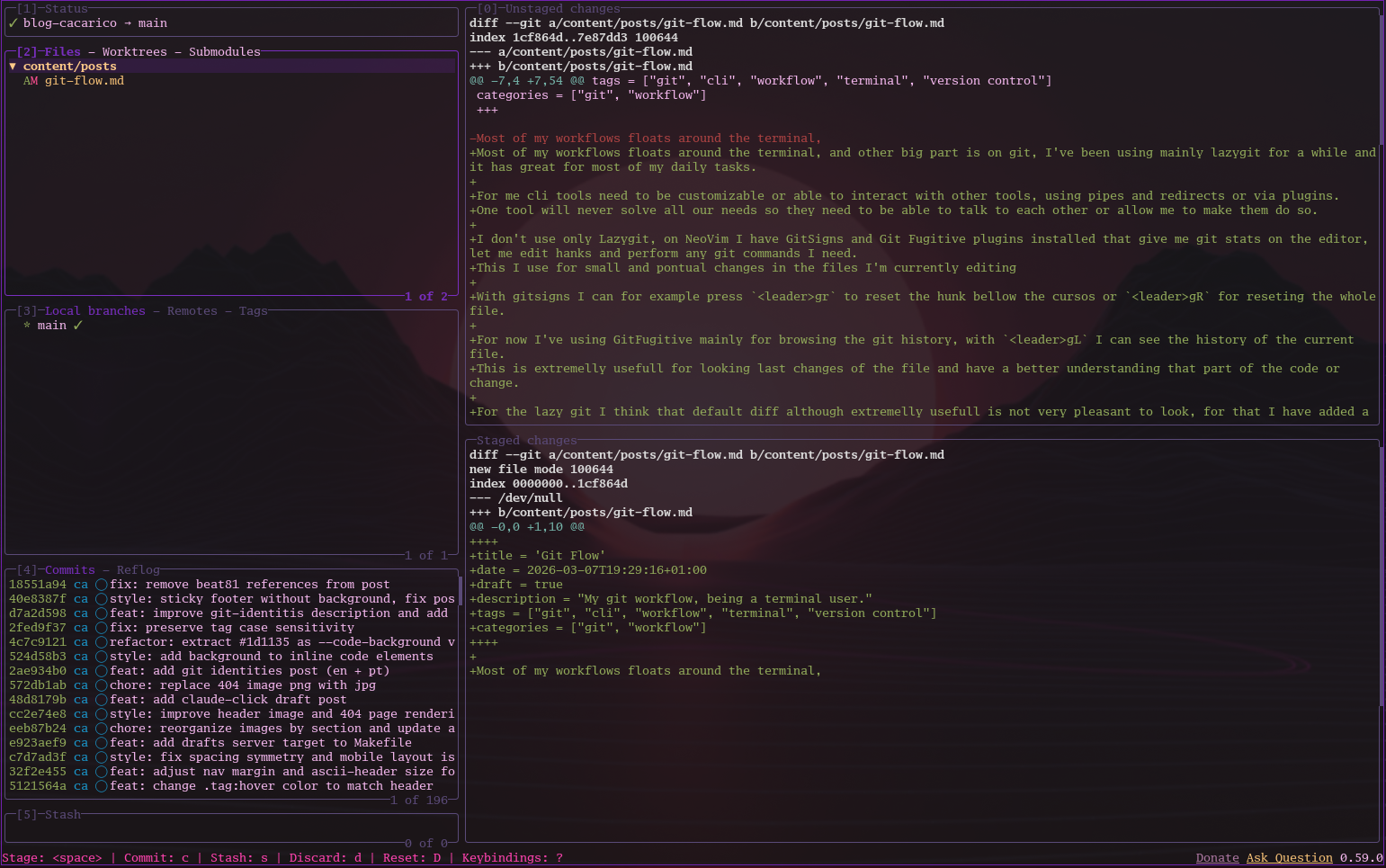
The default lazygit diff is useful but not very pleasant to look at, so I customized its appearance and diff output. I use delta for a better diff experience. Here’s my ~/.config/git configuration:
[alias]
	pf = push --force-with-lease
[pull]
	rebase = false
[fetch]
	prune = true

[diff]
    colorMoved = default
    algorithm = histogram

[merge]
    conflictstyle = zdiff3

[core]
    pager = delta

[include]
    path = /home/cacarico/ghq/github.com/catppuccin/delta/catppuccin.gitconfig

[delta]
	features = catppuccin-frappe
    keep-plus-minus-markers = true
    paging = never
    line-numbers = true
    file-style = bold "#A855F7"
    hunk-header-style = file line-number syntax

    minus-style = syntax normal
    plus-style = syntax normal

    minus-marker-style = "red bold"
    plus-marker-style  = "green bold"
And ~/.config/lazygit/config.yml:
git:
  overrideGpg: true
  pagers:
    - colorArg: always
      pager: delta --dark --paging=never --line-numbers --hyperlinks
  log:
    showGraph: always
    order: topo-order
This transforms the default view to something much more readable:
Before:
After:
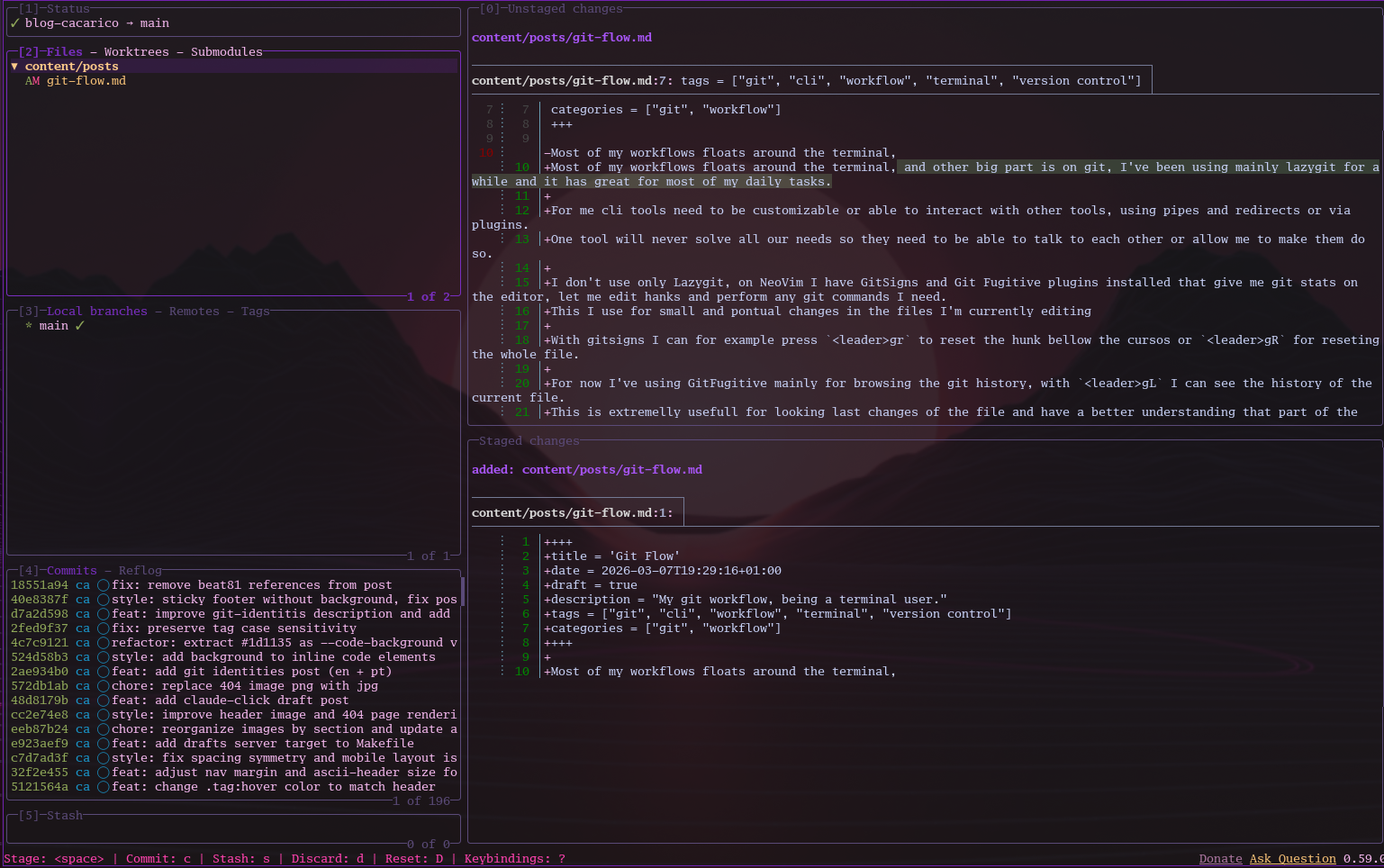
The improved syntax highlighting and line numbers make it way easier to read diffs. Beyond configuration, I also have some custom keybinds in lazygit to speed up common workflows.
In all repos I contribute to, I have pre-commit installed so linting and testing run before I commit. This prevents a lot of failed pipelines on GitHub and saves money on CI runs.
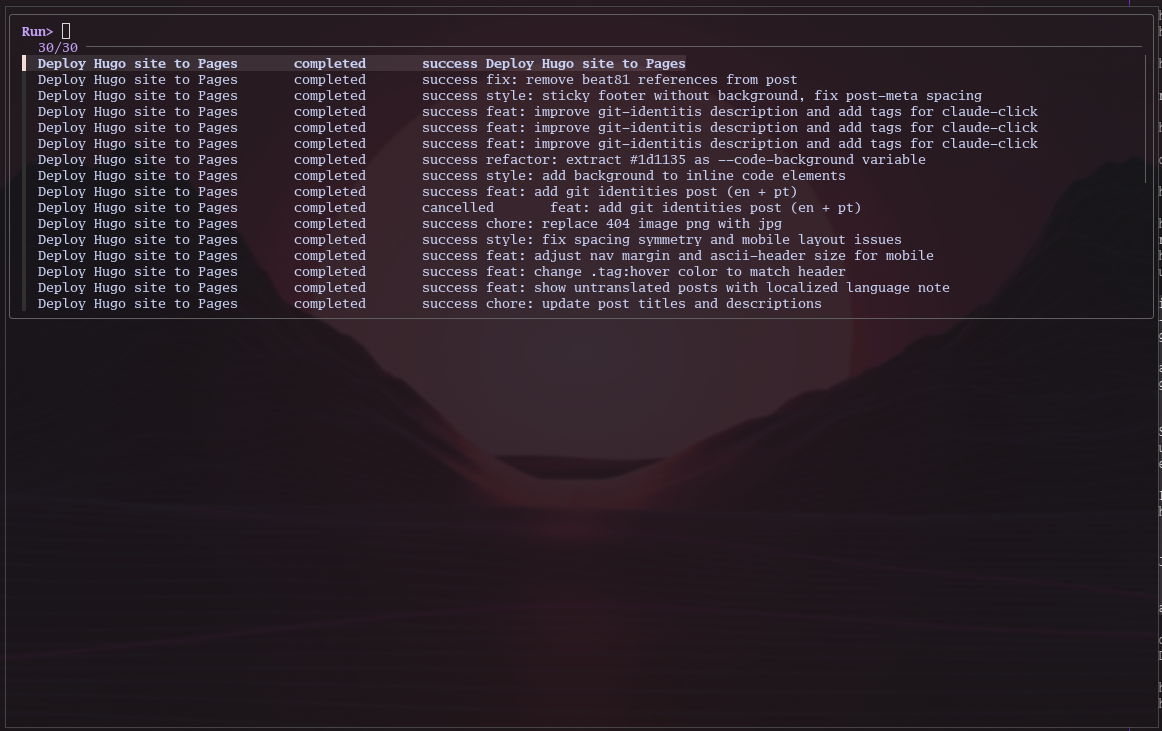
After making changes and committing, I use scripts to run and watch GitHub workflows. I have a fish function called ghrv (github run view) that opens a floating terminal with fzf, letting me select which workflow run to watch.
function ghrv --description 'Pick a workflow run with fzf and watch it (floating window)'
    if not set -q _GH_FLOATING
        alacritty -T floating60 -e fish -c "cd $(pwd); set -x _GH_FLOATING 1; ghrv" &
        return
    end

    # If a run ID was passed directly, skip fzf
    if test (count $argv) -gt 0
        gh run watch $argv
        return
    end

    set -l selected (
        gh run list --limit 30 --json databaseId,displayTitle,status,conclusion,workflowName 2>/dev/null |
        jq -r '.[] | [
            (.databaseId | tostring),
            .workflowName,
            .status,
            (.conclusion // "-"),
            .displayTitle
        ] | @tsv' |
        fzf --prompt="Run> " \
            --height=20 \
            --border \
            --layout=reverse \
            --delimiter='\t' \
            --with-nth=2,3,4,5
    )
    test -z "$selected" && return 0

    set -l run_id (string split \t $selected)[1]
    set -l run_status (string split \t $selected)[3]

    if test "$run_status" = "completed"
        set -l job_ids (
            gh run view "$run_id" --json jobs 2>/dev/null |
            jq -r '.jobs[].databaseId'
        )
        for job_id in $job_ids
            gh run view "$run_id" --job="$job_id"
            echo ""
        end
    else
        gh run watch "$run_id"
        set -l conclusion (gh run view "$run_id" --json conclusion -q '.conclusion' 2>/dev/null)
        notify-send "GitHub Actions" "Run finished: $conclusion" --icon=dialog-information
    end

    echo ""
    read -P "Press enter to close..."
end
Chosiing a workflow to watch:
Watching workflow execution:
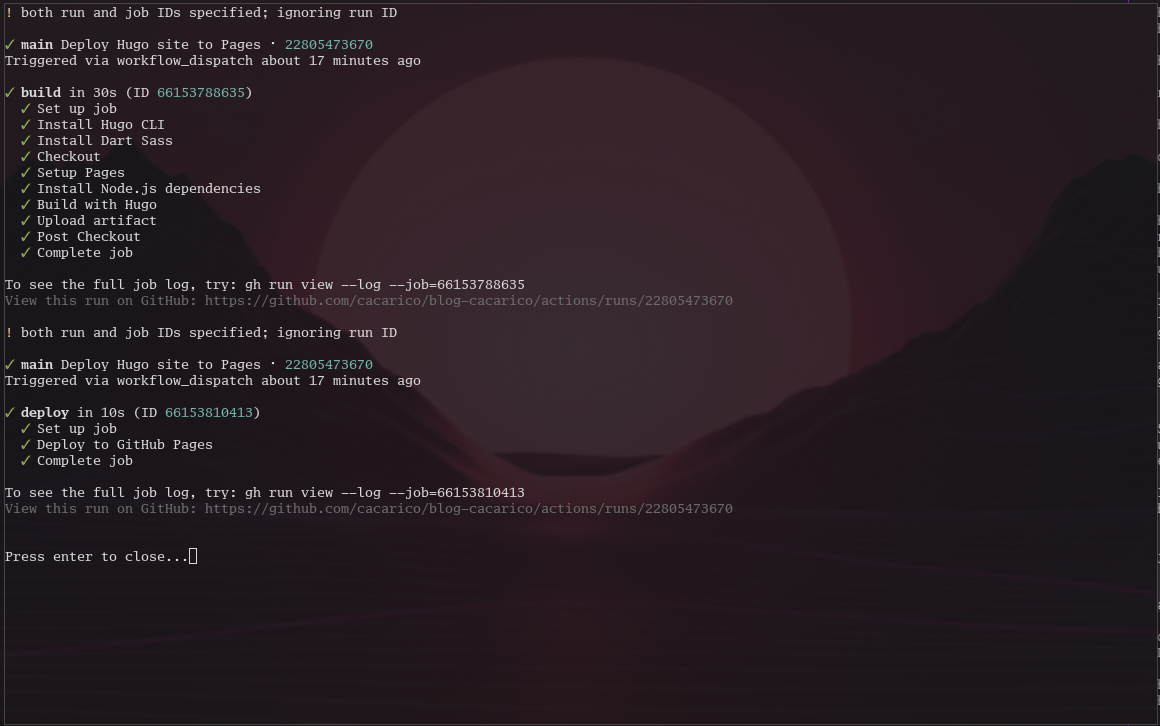
This is extremely useful for checking if a run is passing or failing, and if it fails, I can check the logs right away to see what went wrong.
For reviewing PRs, I use gh-dash, an extension for the gh CLI that gives me a dashboard of all PRs assigned to me or where I’m a reviewer. I can filter by repo or label without opening the browser.
So the entire workflow lives in my terminal. From coding to PR review to merging to watching workflow runs, I never have to switch contexts.
That said, I still use the web interface when it makes sense. I don’t subscribe to the hardcore philosophies like “the mouse is evil when using Vim.” It’s about balance. A browser will always be better for certain things, and for those I’ll use it. But for many tasks I’m faster and more efficient in the terminal, so I stay there.